 QuranPath
A verse and your next prayer, close by.
QuranPath has prayer-time and verse widgets for your home screen on Android, iPhone and iPad. Add them through your device’s widget picker; the available sizes vary by platform.


Start with prayer times.
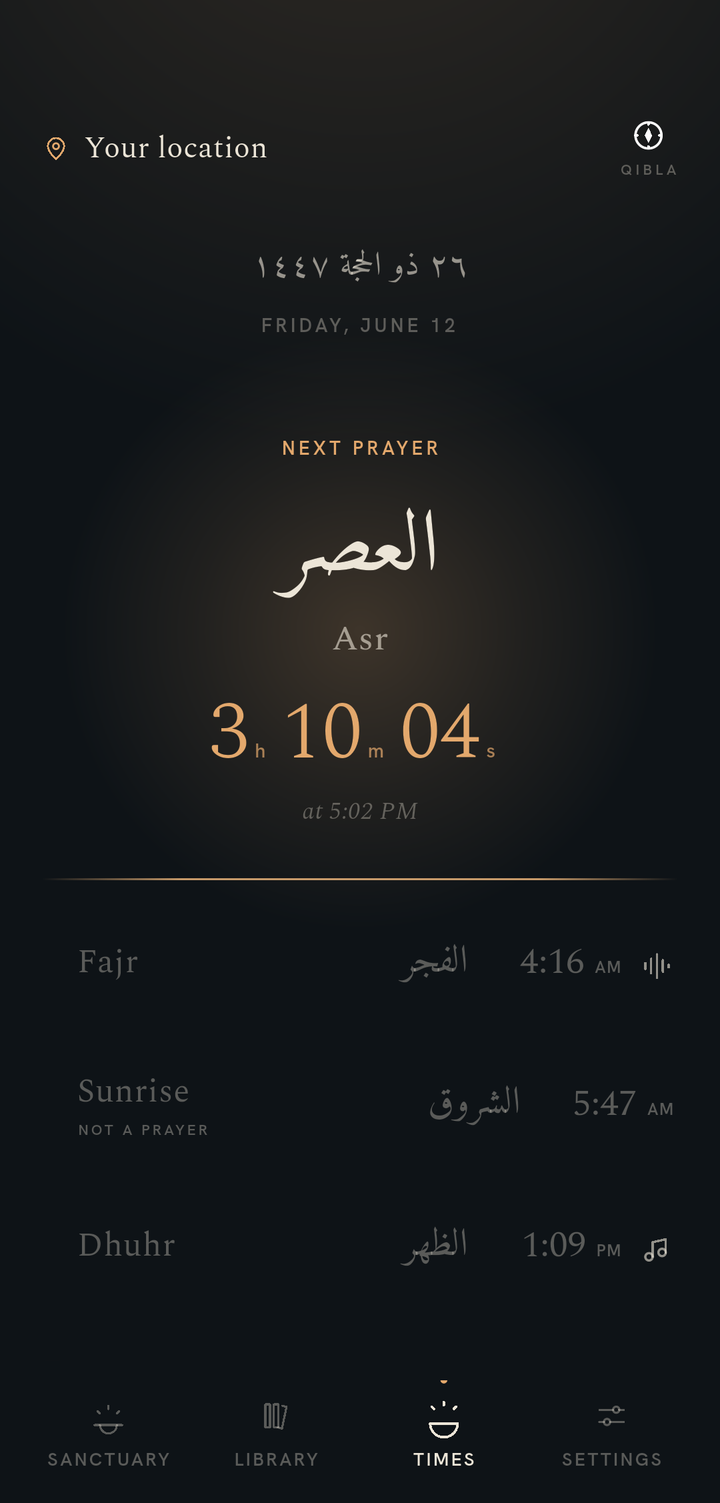
Open QuranPath’s Times screen and allow location if you want local prayer times. The calculation runs on your device. Check the calculation settings and compare the schedule with your local mosque when needed.
The Times screen also offers Qibla direction and today’s Hijri date. A Hijri date is shown alongside the schedule; QuranPath is not a full Hijri calendar.
Widgets display a prayer schedule or a verse without opening the reader. Tapping a widget brings you back into QuranPath.
Add a widget on iPhone or iPad.
- Open QuranPath once. For prayer widgets, set up location in Times.
- Touch and hold an empty area of the Home Screen, then open the widget picker through Edit and Add Widget. Wording may vary with your system version.
- Search for QuranPath, choose a prayer or verse widget and a size, then add it.
- Place the widget and finish editing. Tap it whenever you want to open QuranPath.
On supported iPhone and iPad system versions, QuranPath also offers Lock Screen widgets through the Lock Screen customization picker. Available placements depend on the device and system version.
Add a widget on Android.
- Open QuranPath once. For prayer widgets, set up location in Times.
- Touch and hold an empty area of the Home Screen and choose Widgets.
- Find QuranPath, choose a prayer or verse widget, then drag it onto the Home Screen.
- Resize it if your launcher allows. Tap it to open QuranPath.
Android launcher menus and available sizes differ between phones. These are Home Screen widgets; Apple Lock Screen placement instructions do not apply to Android.
If a widget looks out of date.
Open QuranPath, check the Times location and schedule, then return to the Home Screen. If necessary, remove and add the widget again. On Android, check whether your phone has restricted QuranPath’s background activity.
Your operating system controls widget updates and background delivery. A visible countdown does not guarantee an exact notification time. Keep prayer-time settings aligned with your local practice.
See which features work offline. Core reading does not need a connection, and prayer times are calculated locally after setup.
Carry the Quran with you.
Free to use, with optional one-time support.